


 01
01Every subscription in one list
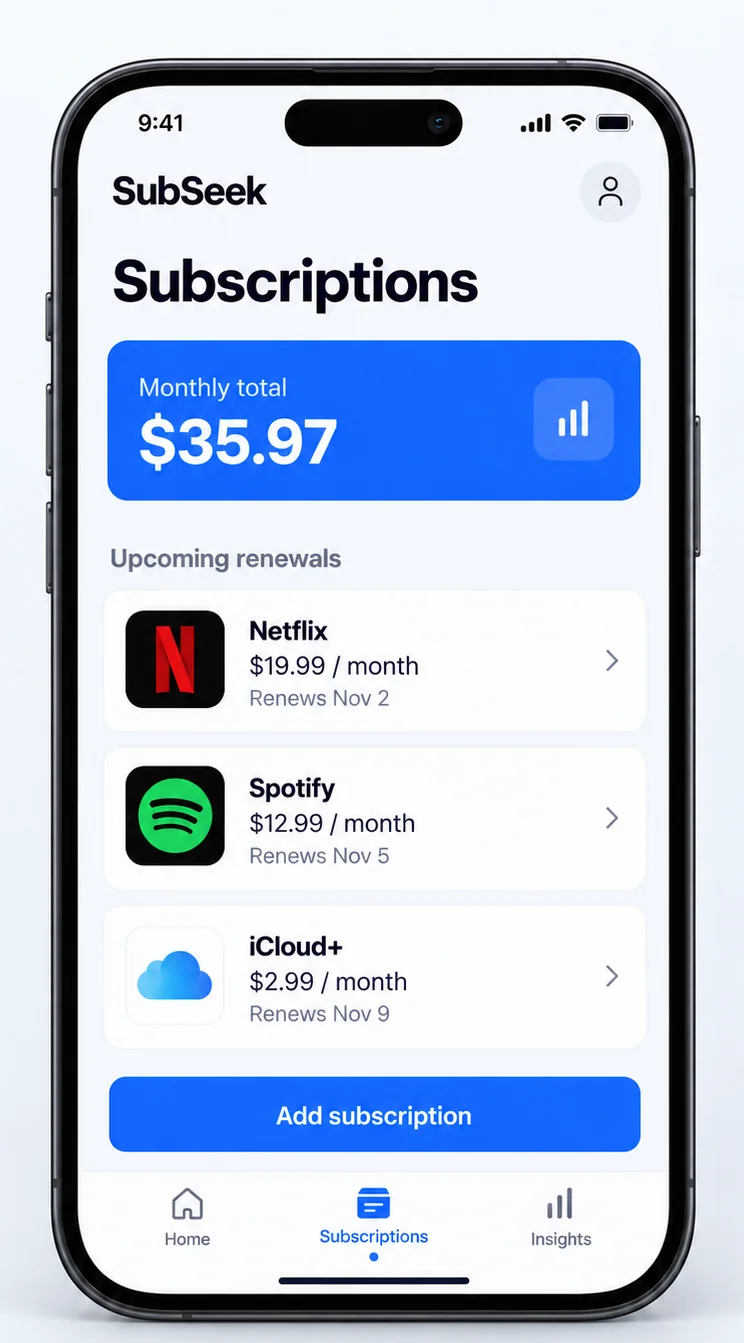
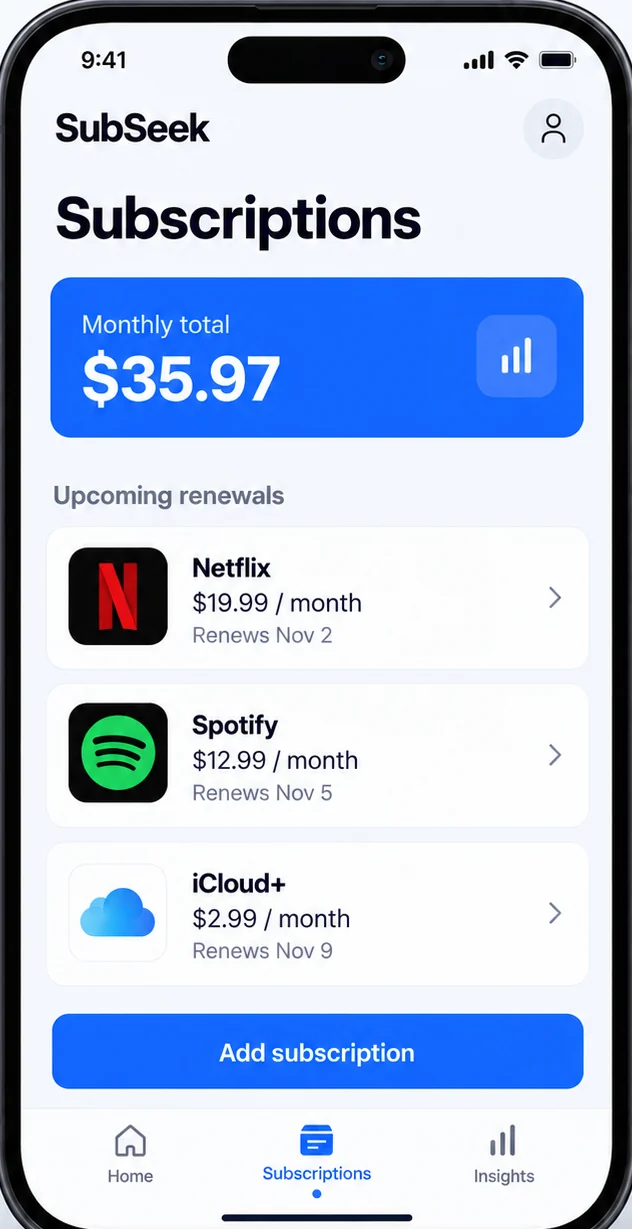
Streaming, cloud, AI tools, the gym: each entry has a price, a billing cycle and the next charge date. The monthly total sits at the top so there is no adding up.
Your subscriptions, in perspective.
SubSeek brings subscriptions, free trials and renewal dates into one clear view. Get a heads-up before the next charge, with guidance when it’s time to cancel.
iOS 17.6+ · Available on Google Play
A clearer view of your subscriptions
Explore a sample month. See the next renewal, add up the cost, then plan your next move.
 SubSeek previewInteractive example
November, at a glance
$19.99 is due on November 2 in this example.
Website illustration with sample dates and prices. Controls only change this example. App screens, features and availability may differ.
Track the cost, spot the next renewal and decide what earns its place.
Streaming, cloud, AI tools, the gym: each entry has a price, a billing cycle and the next charge date. The monthly total sits at the top so there is no adding up.
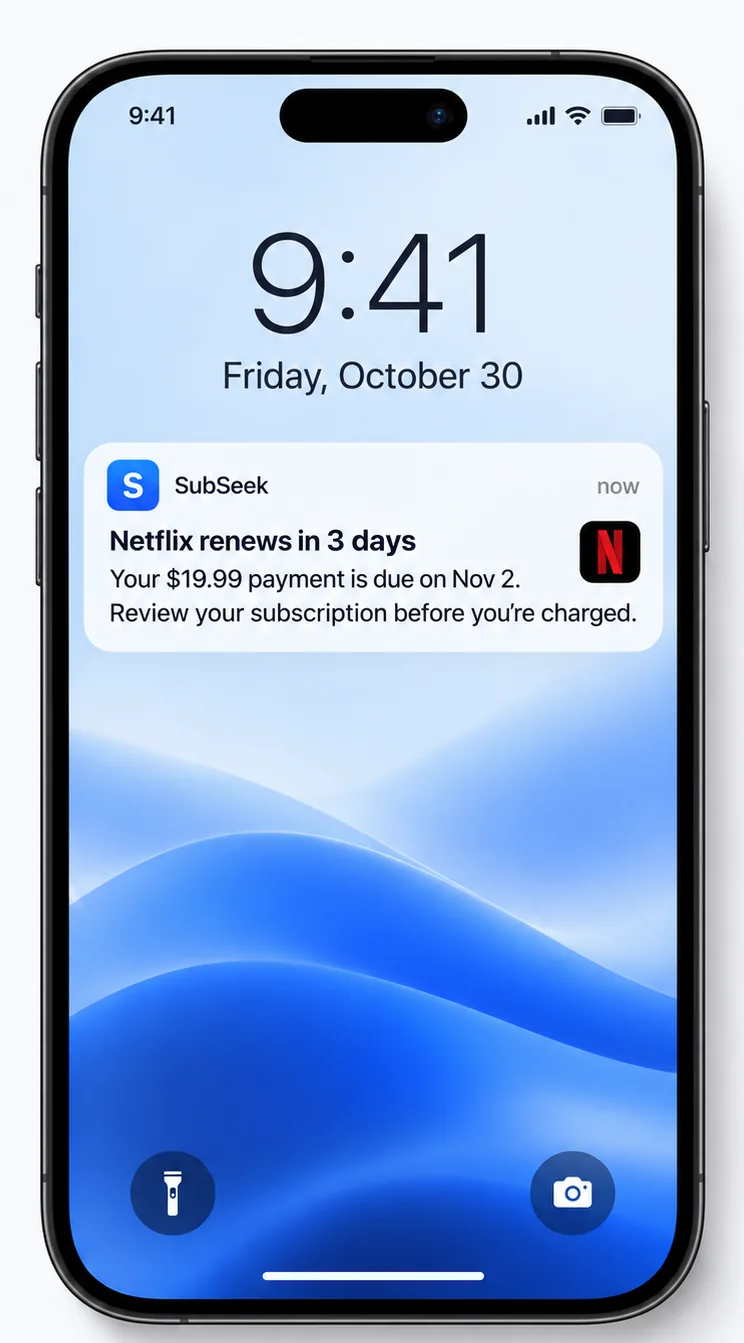
Three days before a renewal or the end of a free trial, a notification lands on your lock screen. Enough time to decide, not so early that you forget again.
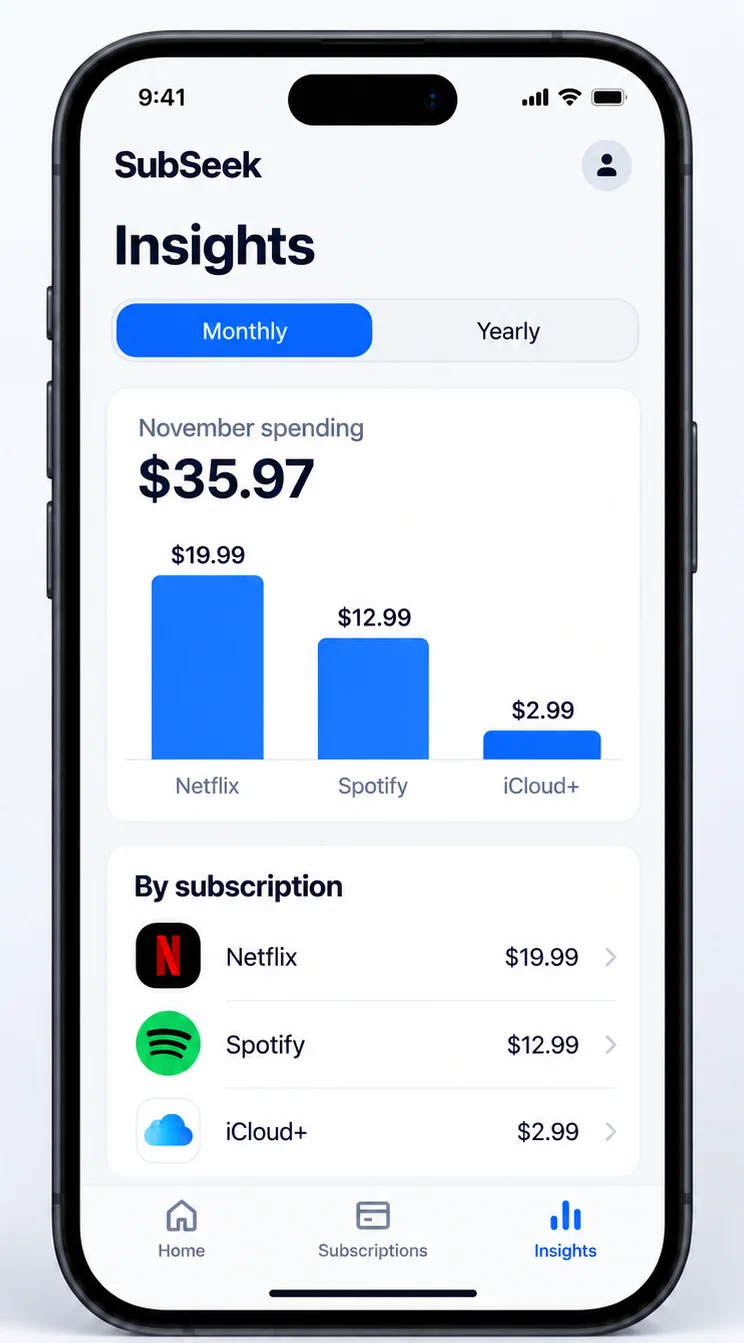
Weekly and monthly spend, split by category. The total is the number most people did not expect; the second is how many entries they had not opened in months.
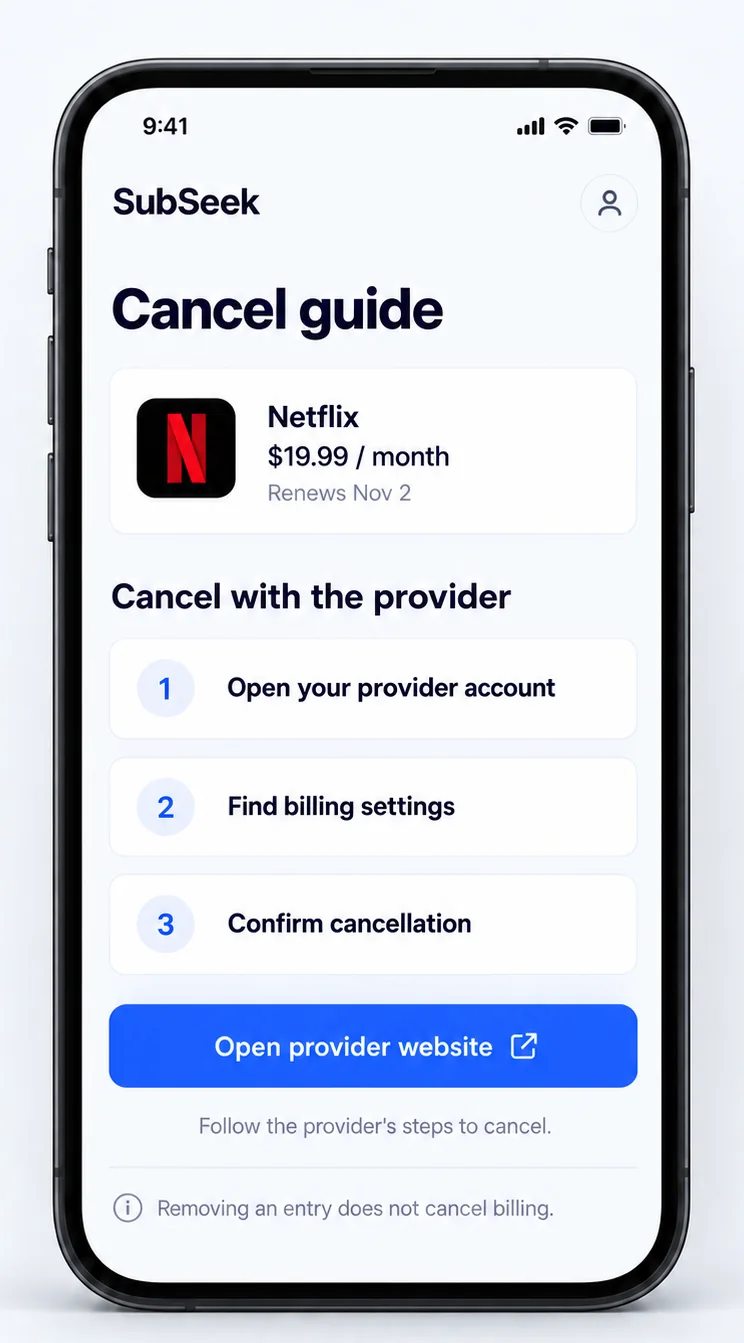
Open the entry to see the trial start, the billing date and the card it is on. If you want out, the app shows the cancel steps for that service and what to do if you were charged after cancelling.
01Streaming, cloud, AI tools, the gym: each entry has a price, a billing cycle and the next charge date. The monthly total sits at the top so there is no adding up.
 02
02Three days before a renewal or the end of a free trial, a notification lands on your lock screen. Enough time to decide, not so early that you forget again.
 03
03Weekly and monthly spend, split by category. The total is the number most people did not expect; the second is how many entries they had not opened in months.
 04
04Open the entry to see the trial start, the billing date and the card it is on. If you want out, the app shows the cancel steps for that service and what to do if you were charged after cancelling.
Illustrative preview with sample amounts · swipe for more
Start with a few subscriptions you already pay for. Add their renewal dates, then use the list to plan what comes next.
Start with the service, price, billing cycle and next renewal date. Check the details against your receipt or provider account.
A notification three days ahead of every renewal and every trial end. Change the lead time per entry if you want.
Open the entry, follow the cancel guide for that service, mark it cancelled. The monthly total drops right away.
Use the sliders for a rough estimate of your recurring costs. Your real total depends on the plans you add.
 Netflix
 Spotify
 iCloud+
 YouTube Premium
 Apple Music
 Dropbox
 Google Drive
 Notion
 Figma
Figma GitHub
 Zoom
Zoom Coursera
 Duolingo
 Strava
 Headspace
 Todoist
 Twitch
 Proton
Your favourite services, one subscription list. Add custom entries for other recurring payments.
Brand names and logos are examples and belong to their owners. No affiliation or endorsement implied.
“I'm thankful for helping me delete subscriptions.”
You can start by adding subscription details manually. Check the app for the availability and permissions of optional import features.
SubSeek provides cancellation guidance. You complete cancellation with the service provider; eligibility and refund decisions follow that provider’s terms.
Review the developer’s privacy policy and the data disclosures on your store listing. Manage app permissions and any optional connections in Settings.
SubSeek is free to download with in-app purchases. Check the current feature access, price, billing period and trial terms in the app before purchasing.
Add your subscription details to track costs and renewal dates. Check the app for the availability of optional import features.
Review the available features, price, billing period and any trial terms before confirming a purchase. Offers can vary by platform and region.
Cancellation and refund decisions remain with the provider. Need help with SubSeek? Contact the developer or read its privacy policy.
Still have a question? Contact the developer for questions about the app, purchases or your account.
[email protected]